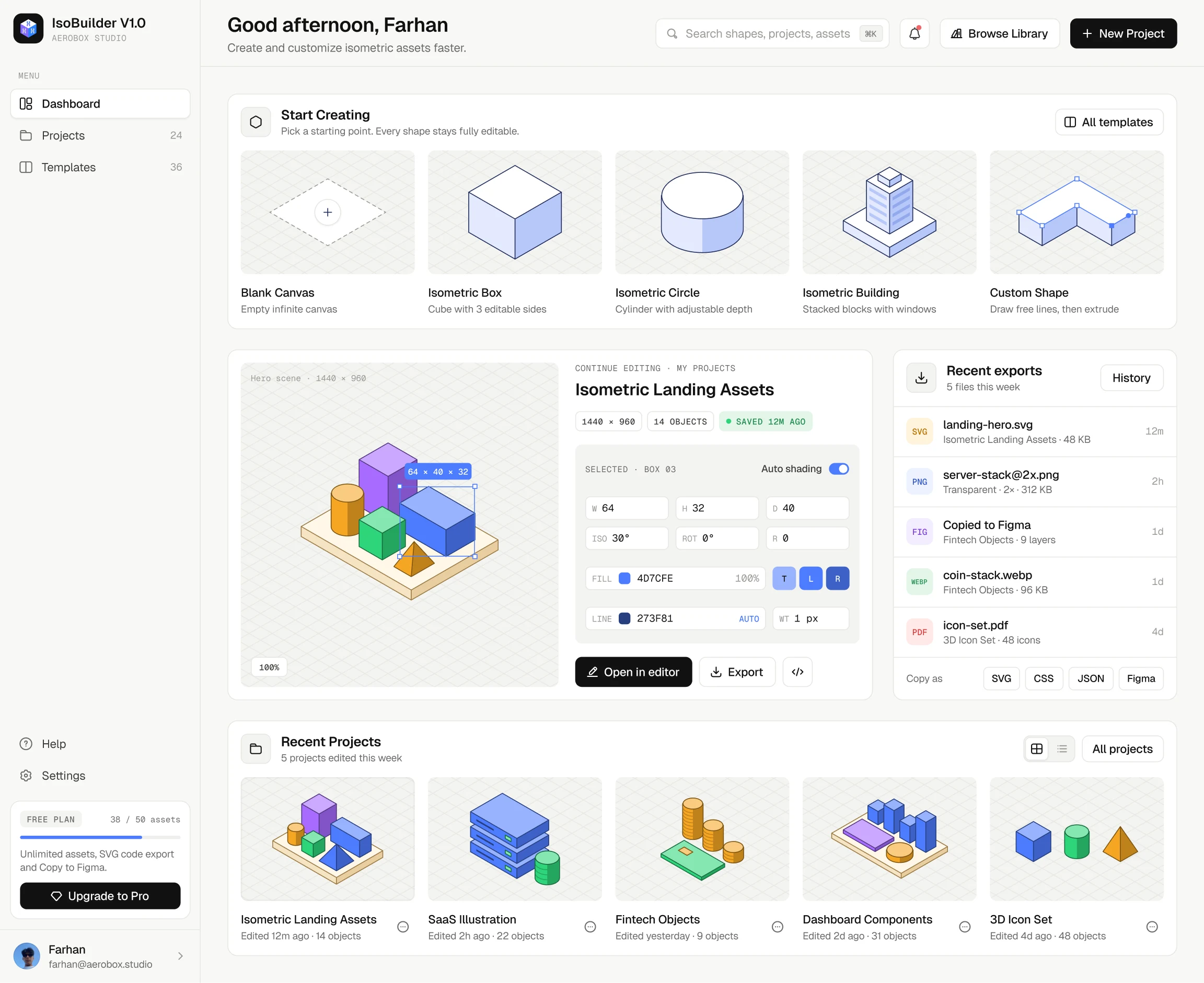
01 · Dashboard
Start from a blank canvas or a familiar template, pick up the last project where you left it, and keep recent exports one click away.
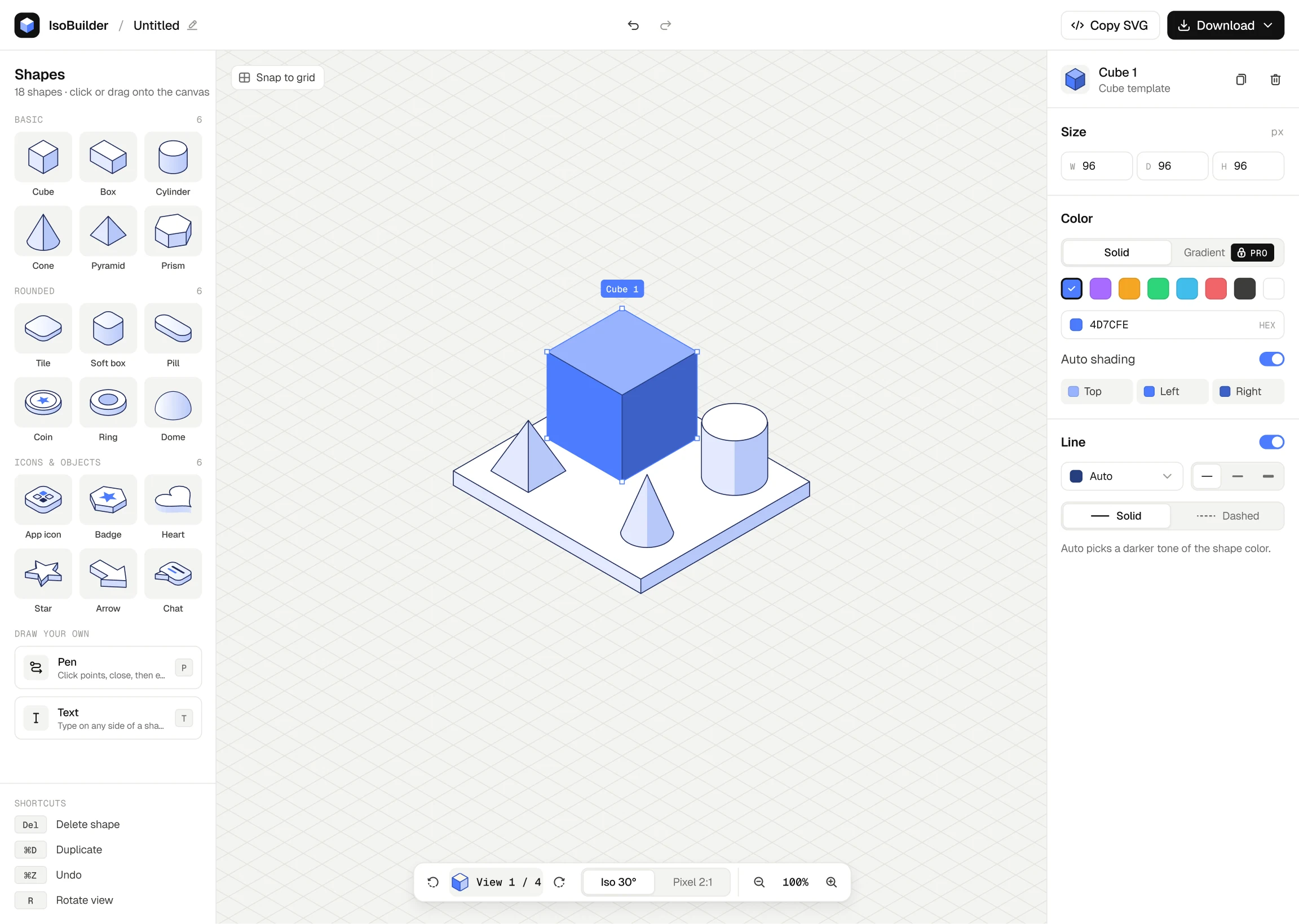
02 · The editor
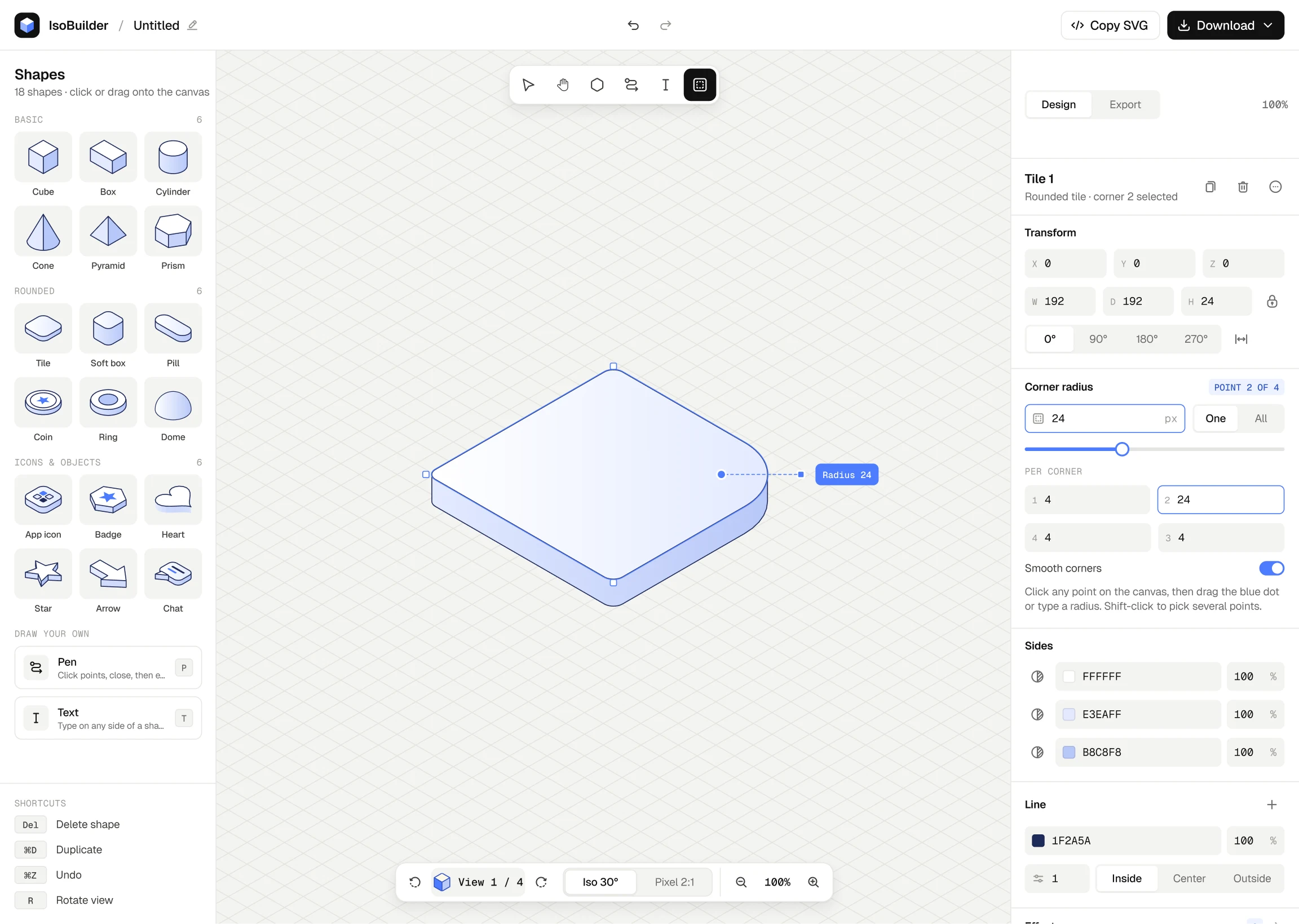
Six shapes, one style panel and a view bar. Size is width, depth and height; one colour shades the three sides; every corner can be rounded on its own.
03 · Projects & templates
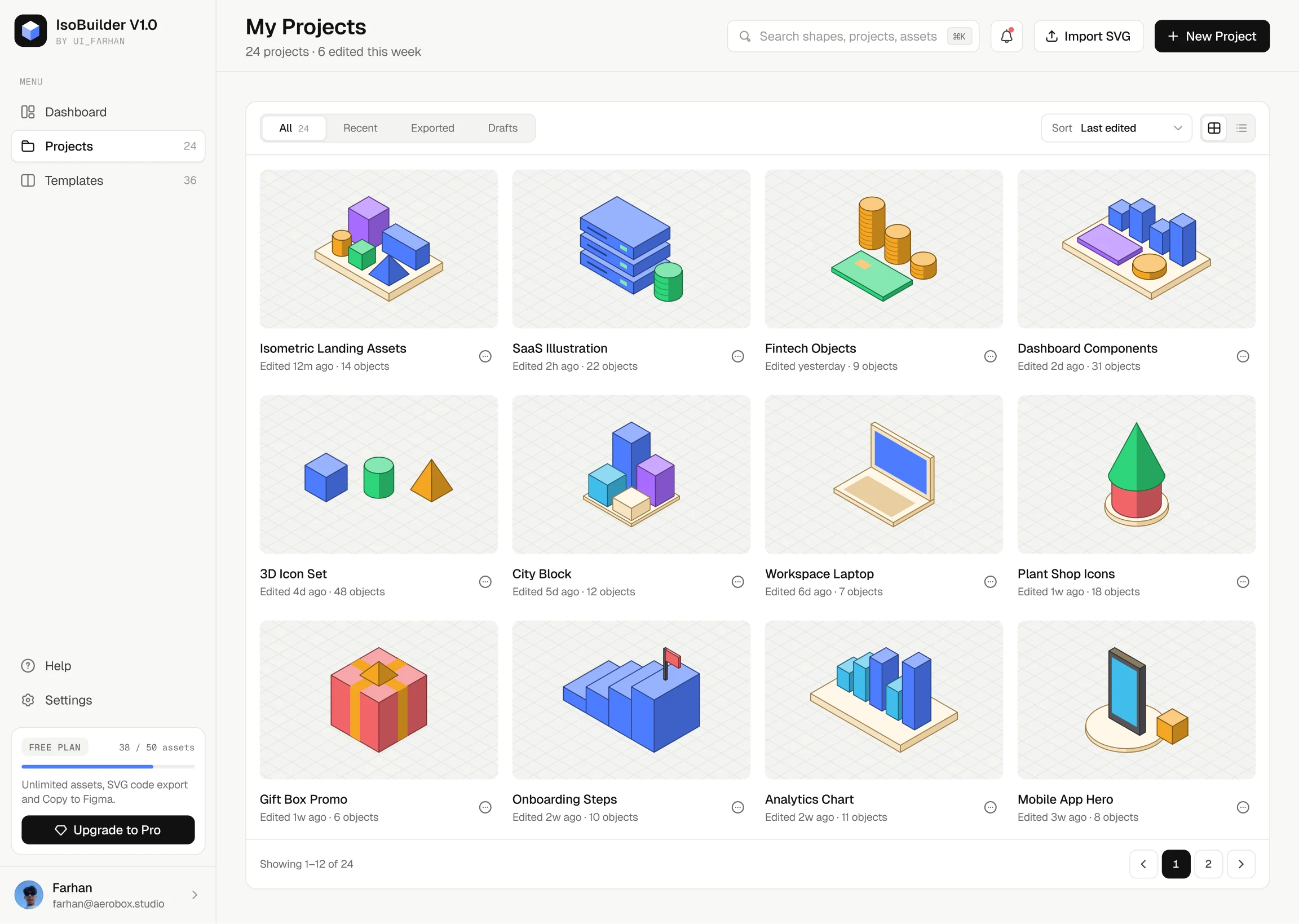
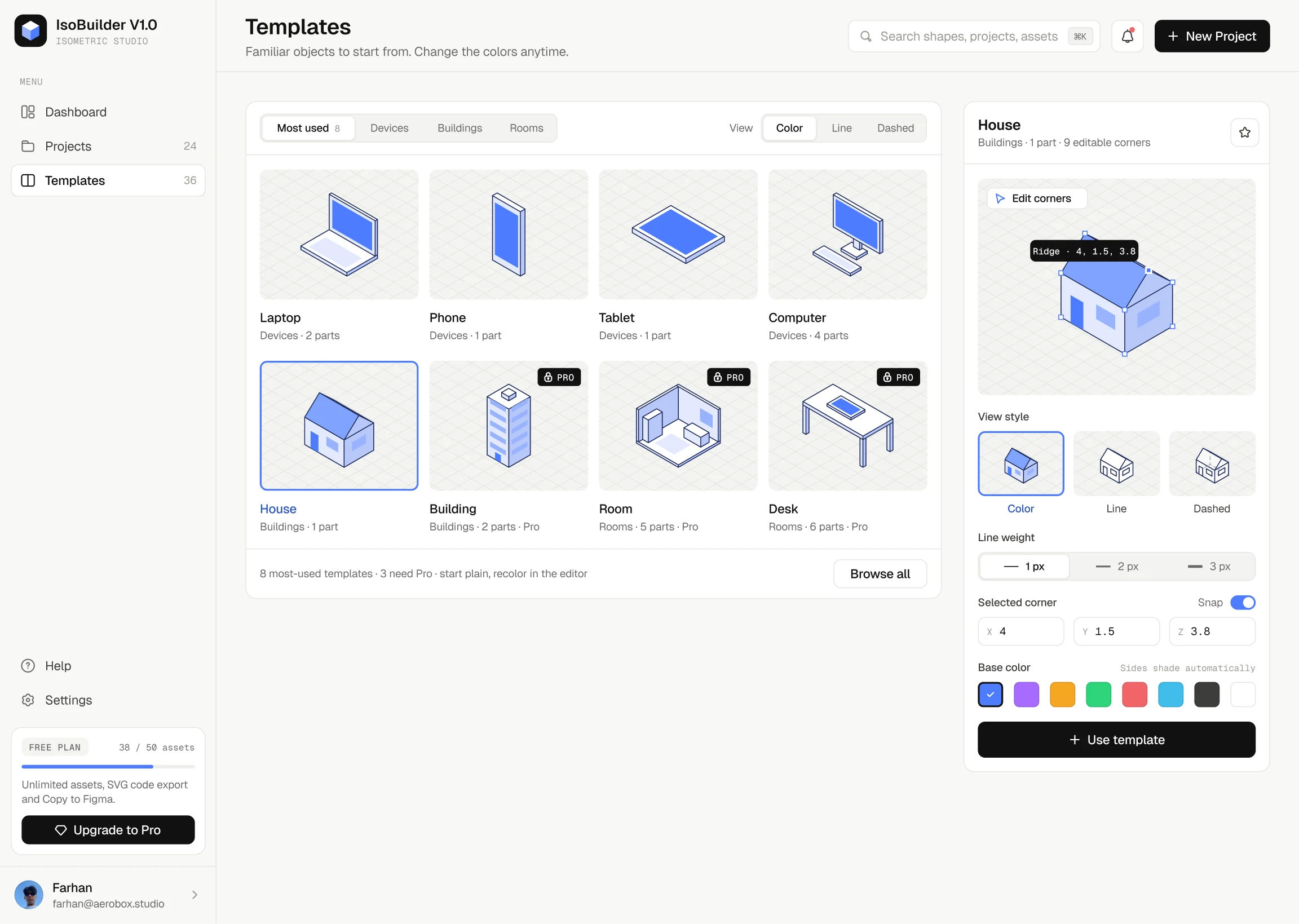
Everything you make stays editable. Templates start plain so they take your colours, with a line and dashed view for wireframes.
04 · Export & copy to Figma
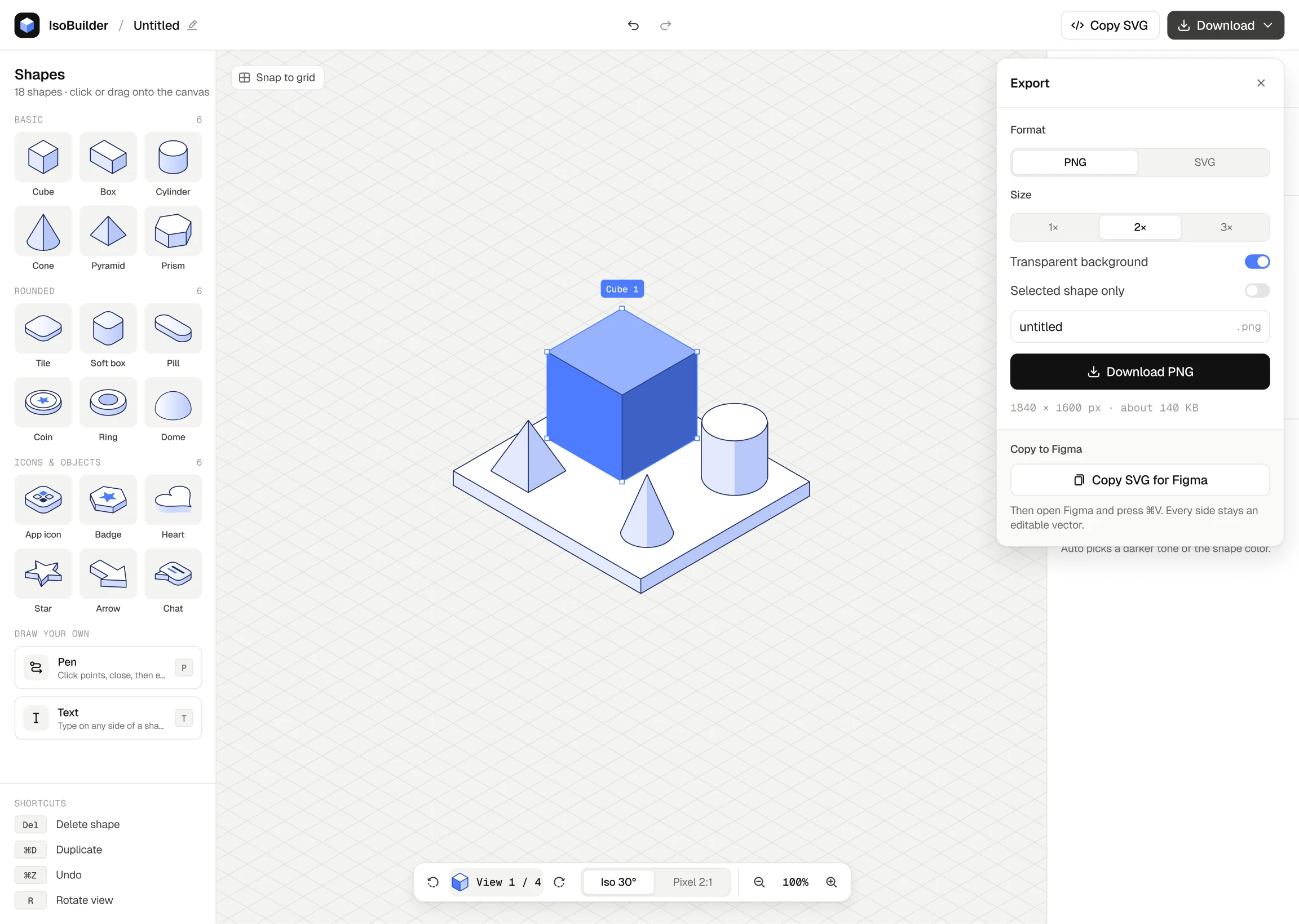
PNG at 1×, 2× or 3× with a transparent background, SVG, or a copy that pastes into Figma as editable vectors.
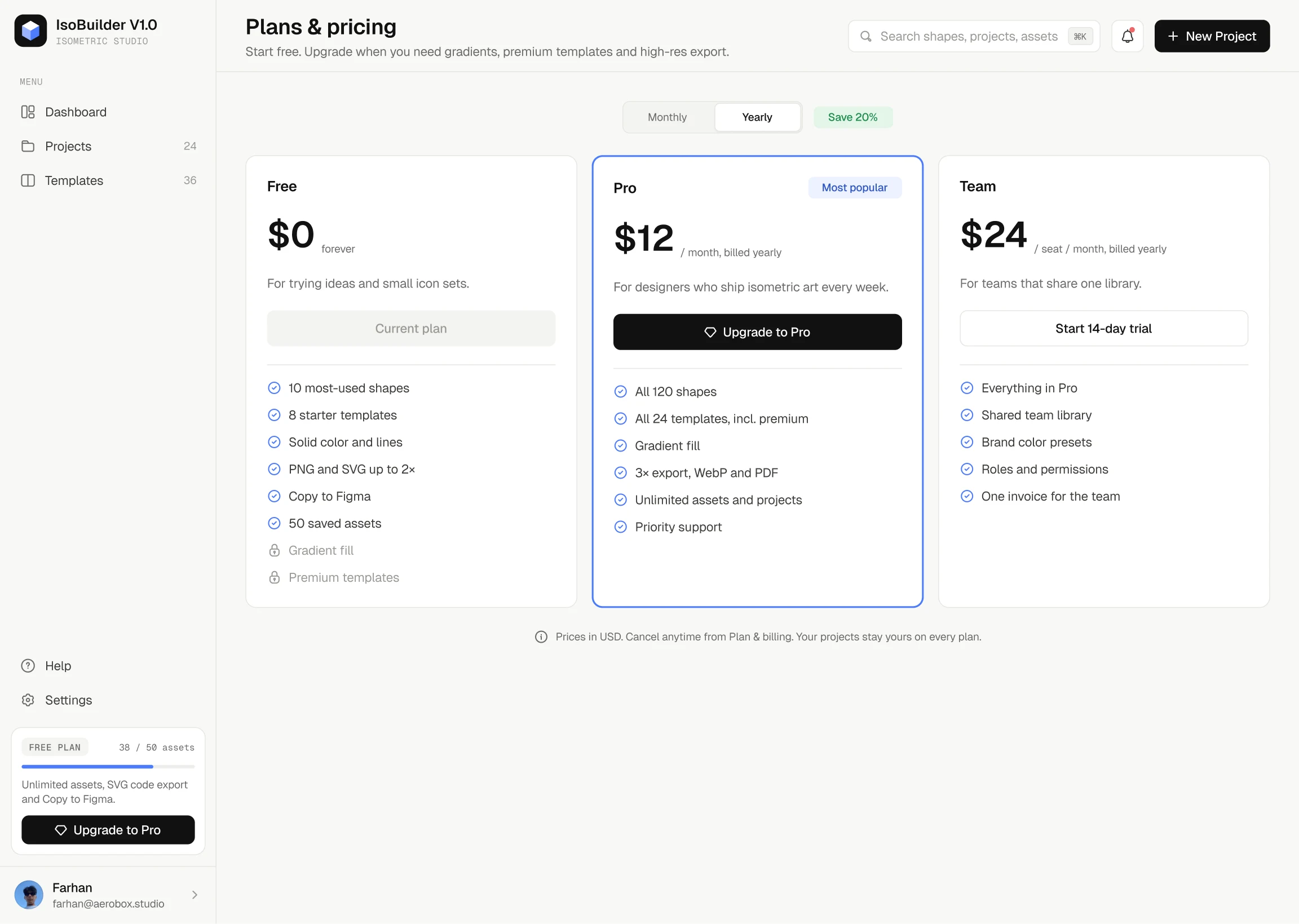
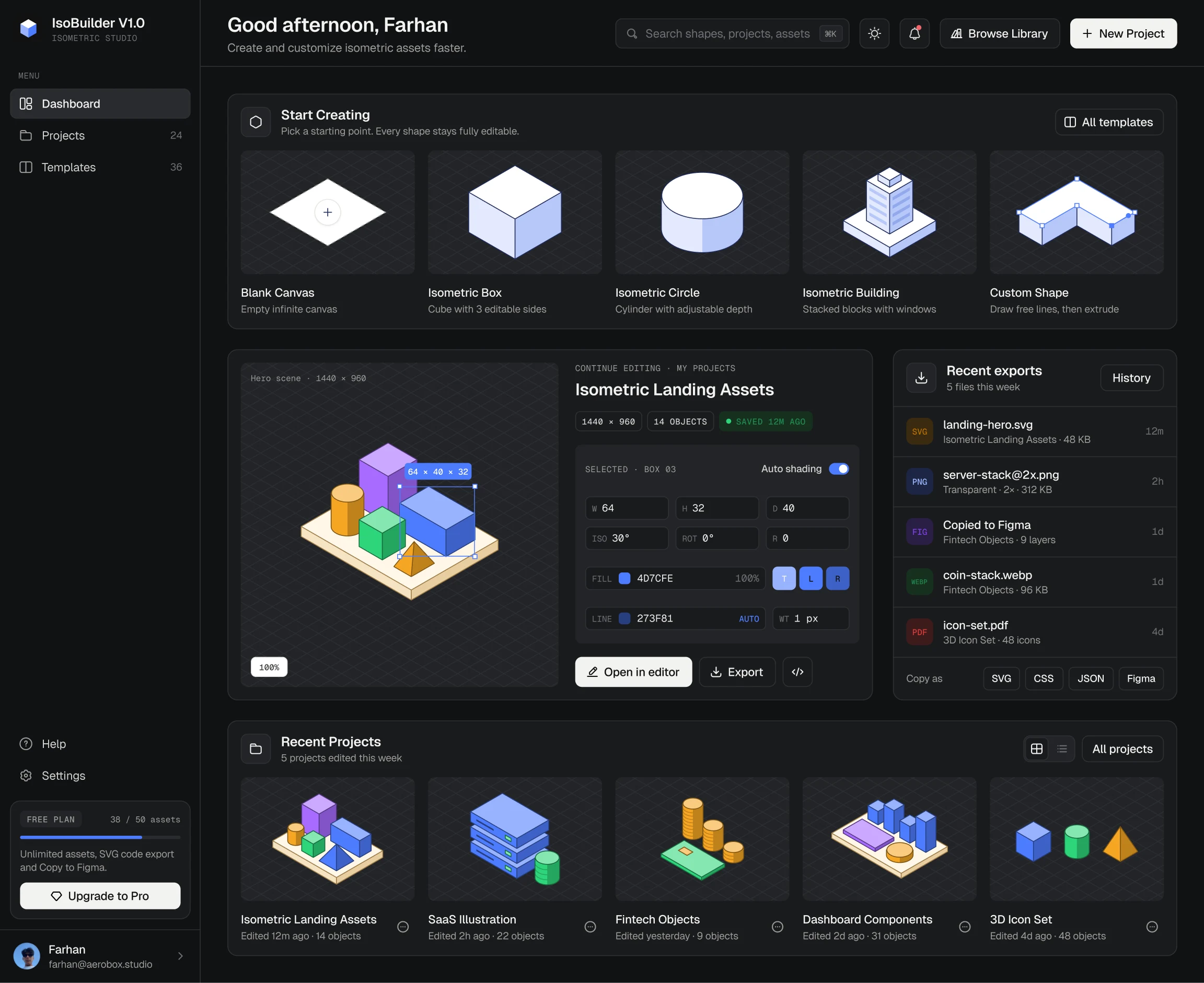
05 · Pricing & dark mode
A free plan for trying ideas, Pro for gradients, premium templates and high-res export, and the whole dashboard in dark.